

Installing an RJ45 (LAN Socket)


Installing an RJ45 (LAN Socket) is a crucial step for connecting network signals via CAT6 LAN cables, especially if you’re preparing for the Smart Home systems or basic electrical setups.
Required Equipment
- RJ45 socket (female)
- CAT6 LAN cable
- Punch down tool
- LAN tester
- T568A or T568B wiring standard chart
Installation Steps
1. Prepare the Cable and Tools
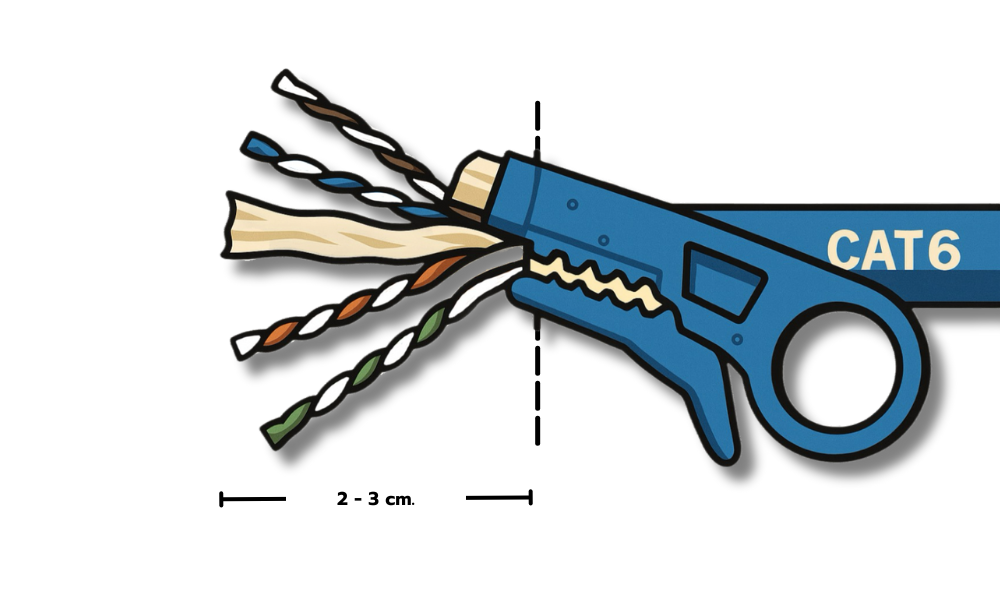
Strip about 2–3 cm of the end of CAT6 cable jacket. Separate the twisted pairs according to the standard color codes (e.g., white-orange/orange, white-green/green, etc.).
2. Choose a Wiring Standard
Use either T568A or T568B, ensuring both ends of the cable follow the same standard. The socket will have color-coded slots to guide proper wire placement.
3. Terminate the Cable into the Socket
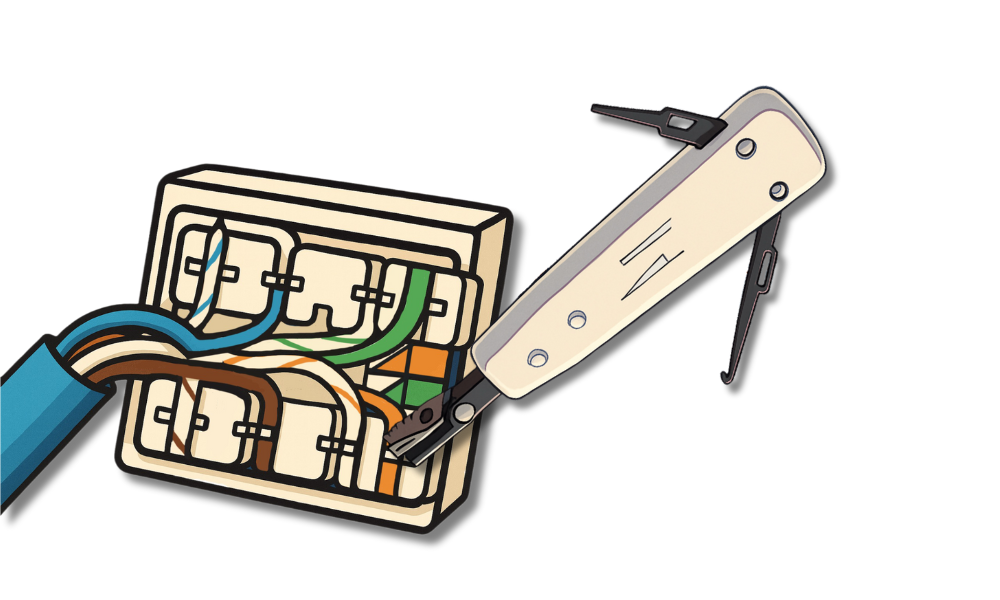
Place each wire into its designated color-coded slot. Use the punch down tool to press the wires firmly into place. Loose connections may result in unstable or failed network performance.
4. Mount the Socket to a Wall Box or Surface
Ensure the socket is securely fastened and not loose. Once the wire connection is done, put the devices to the plate installed on the wall.
5. Test the Cable After Installation
Use a LAN tester to check that each wire pair is correctly connected. Test the cable after installation to ensure reliability.

